

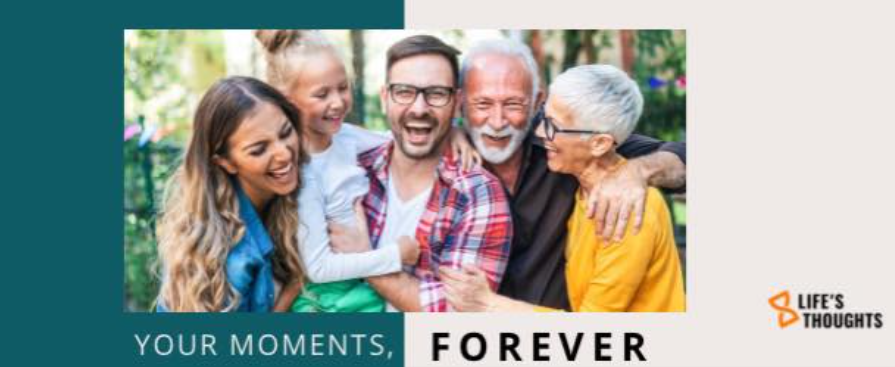
What is a Life's Thoughts Video?
A Life’s Thoughts Video lets you record the messages that matter and send them when the moment is right. Capture wisdom, family history, stories, favorite memories, and anything else you want your loved ones to hear in your own voice.
Is my video private?
Absolutely. Your video is stored securely and shared only with the people you choose. No one is evaluating your message.
Where do I start?
- Create or log in to your account on our web app.
- Add your recipients (Loved ones who should receive your messages).
- Pick a message idea: choose a meaningful photo and tell the story behind it, or browse the Idea Hub for prompts.
- Record your video (or upload one), then title it, choose who receives it, and set the delivery time.
- Pick a plan or start free.
Tip: For young children, use a parent’s email until they have their own.
Do I need a script?
No. Most people don’t use one. These messages are for someone specific, and your natural voice is what matters. Look into the camera as if you’re speaking to them and share what’s on your heart. If it helps, jot a short outline of key points you want to cover. For ideas and simple templates, browse the Idea Hub.
How long should my video be?
There’s no time limit, record as long as you need. For storage planning, a typical newer iPhone video is about 1 GB per clip if recorded in 4K. If you use 1080p, expect roughly 150–500 MB for 5–10 minutes. If you run out of storage, you can upgrade your plan at any time.
Why should I make a video?
Because your voice matters. A video lets you share love, wisdom, stories, and faith in your own words and deliver it at the moments your family needs it most. It can comfort loved ones through grief, guide them at milestones, preserve family history and recipes, and capture memories only you can tell. Whether it is one message for everyone or a personal note for each person, your video becomes a lasting gift they can return to again and again. It can also inspire gratitude in you as you speak about your memories.
How should I hold the camera?
Your choice. Use horizontal (landscape) for TVs and computers, and vertical (portrait) for phones. If you’re unsure, pick vertical for a more personal, face‑to‑face feel on mobile.
Who can watch my video?
Only you until the scheduled release date. After it’s released, only the recipient you chose will have access to the video and its contents. They can choose to share it once they have access.
When will my videos be shared?
Your recipients are listed when you create the video, but they will not have access until the scheduled release. By default, messages are delivered after your passing. If you set a later date or event, they will be shared at that time instead.
Can I make multiple videos?
Yes. You can create as many videos as you like. Choose the plan that fits how many people you want to reach:
- Essentials: Great for getting started with a few personal messages.
- Connections: More room to record and share with additional loved ones.
- Signature (Most Popular): Unlimited storage for growing libraries and milestone messages.
- Inner Circle (Best for Families): Unlimited storage with multiple logins for family collaboration at the individual cost of Essentials.
- Enterprise Vault: Custom solutions for organizations.
You can upgrade anytime as your library grows.
Can I redo it?
Yes. Redo your video as many times as you like. It is simple. If you do not like it, erase it and try again.
What if I need to update my created video?
Easy. Record a new version, save it, and delete the old one. You can update your messages anytime.